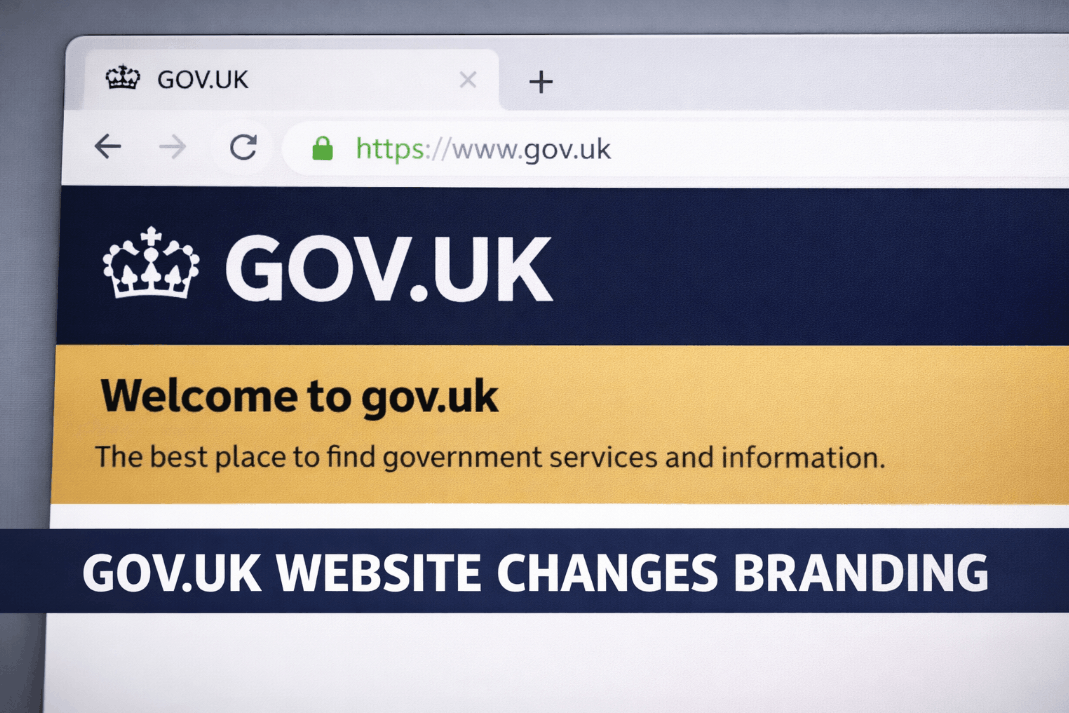
The recent gov.uk website changes branding represent a strategic update to the UK’s central digital platform. These modifications include replacing the St Edward’s Crown with the Tudor Crown to reflect the reign of King Charles III.
Additionally, a new Midnight Blue colour scheme and improved typography have been implemented to support the GOV.UK App and digital wallet systems.
Government Digital Service (GDS) manages the rollout of these visual updates across more than 70 departments. The transition ensures constitutional alignment with the new monarch while modernising the interface for mobile-first users.
By early 2026, most high-traffic services have adopted the updated GDS Frontend components to maintain a unified digital identity.
Why has the gov.uk website changes branding occurred?
The gov.uk website changes branding primarily reflect the accession of His Majesty King Charles III. Official government emblems must feature the monarch’s chosen Tudor Crown rather than the St Edward’s Crown used by Queen Elizabeth II.
This constitutional requirement coincided with a technical pivot by the Department for Science, Innovation and Technology (DSIT) to improve digital accessibility and mobile app integration.
A constitutional and digital evolution
The shift is not a routine design update but a historic transition in state identity. Moving away from a stark black-and-white aesthetic to Midnight Blue helps distinguish central government services from local council portals.
This visual hierarchy is essential as more services migrate to the GOV.UK Wallet; the specific crown and colour palette serve as immediate trust signals that verify a site’s authenticity.
Public feedback during the initial rollout highlighted how sensitive users are to these shifts. Some individuals reported hesitation when their familiar login portals changed colour, initially fearing a security breach or a technical error.
However, these updates are strictly aesthetic and have no impact on individual payment schedules or eligibility.

Myth vs Reality of the GOV.UK Branding Changes
Public discourse regarding the cost and scope of this project has led to several misconceptions.
Clearer context regarding these changes helps maintain public trust in official digital channels. By phasing the rollout, GDS avoids the prohibitive costs associated with a total, simultaneous update across millions of legacy pages.
Technical teams should treat this as a standard version-controlled update. Upgrading to v6.1.0 or higher is the most efficient way to pull the new Tudor Crown and colour variables into a service’s masthead.
| Feature | Myth | Reality (2026 Status) |
| Project Cost | Government spent £500k on a new dot. | Funds covered 150-page guidelines and 70+ department rollouts. |
| ID Validity | Passports with the old crown are invalid. | All physical documents remain valid until their expiry date. |
| Payment Impact | Branding updates will delay benefit payments. | Visual changes have zero link to backend payment systems. |
| Scope | Every single page was updated overnight. | The rollout is phased; some legacy PDFs still feature the old crown. |
| Colour Choice | Blue was chosen purely for aesthetic reasons. | Midnight Blue provides superior contrast for OLED mobile screens. |
Will the branding changes delay my payments or compensation?
There is no functional link between the frontend visual updates and the backend systems that process state pensions, Universal Credit, or rail compensation.
The rebranding project is managed by design and frontend engineering teams at GDS, whereas financial disbursements are handled by separate departmental infrastructure.
Policy shifts remain entirely separate from these visual updates. For instance, the transition to the new design does not delay specific legislative adjustments like the Universal Credit £420 boost administered by the Department for Work and Pensions.
While the website’s header may look different, the underlying eligibility rules and payment amounts for benefits are governed by separate legislative updates.
For example, a claimant in Manchester recently expressed concern when their portal turned blue overnight, fearing their housing benefit was stalled. However, the update was purely aesthetic and had no impact on their payment schedule.
User panic often stems from Visual Trust issues, where a change in a familiar layout triggers security anxieties.
How to stay safe and avoid scams during the transition
Cybercriminals often exploit periods of transition by creating clone websites that mimic the old or new branding to steal personal data. Staying safe requires a proactive approach to verifying the digital environment.
- Always check that the URL ends in strictly
.gov.ukbefore entering any details. - Look for the Tudor Crown in the header, which is the current standard for 2026.
- Verify that the header colour is either the legacy black or the new Midnight Blue.
- Avoid clicking links in SMS or emails; type the official address directly into your browser.
- Use the GOV.UK App for identity verification rather than third-party links.
- Check for the presence of the One Login logo for secure service access.
- Report any suspicious-looking sites that use the old St Edward’s Crown as official portals.
The Phased Rollout and what to expect
The gov.uk website changes branding are being implemented via a Phased Rollout strategy. This means you may encounter different visual styles depending on which department or service you are accessing.
This approach is a cost-saving measure that avoids the immense expense of a big bang update across millions of legacy pages.
- Primary Services: High-traffic areas like the DVLA and HMRC have prioritised the refresh to ensure a consistent experience for high-volume users.
- This consistency is vital for employers who must also manage evolving compliance tasks, such as staying updated on HMRC wage raid payroll checks to ensure internal records meet current enforcement standards.
- Legacy Content: Archived news stories and older PDF guidance may never be updated to the new branding.
- Local Authorities: Councils and arms-length bodies may retain their own branding or older GDS styles for longer periods.
Do I need to re-update my documents or physical ID?
One of the most frequent questions regarding gov.uk website changes branding concerns physical documents like passports and driving licences.
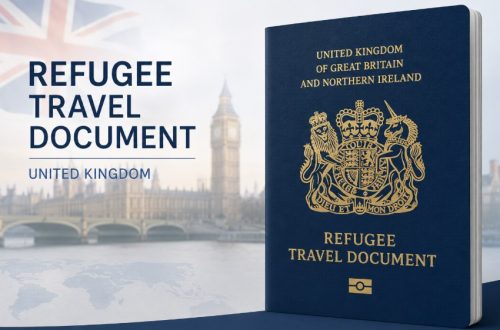
There is no requirement for citizens to replace their current IDs. Physical documents bearing the St Edward’s Crown remain fully valid until they reach their natural expiry date.
The update is Digital-First, focusing on the website, the GOV.UK App, and the GOV.UK Wallet. As of 2026, when you renew your passport or licence, the new physical version will naturally feature the Tudor Crown.
Digital credentials stored in your phone’s GOV.UK Wallet will update automatically as the GDS pushes new assets to the app, ensuring your digital identity remains current without any manual intervention on your part.
Technical Guide: Updating to GOV.UK Frontend v6.1.0
For developers and service owners, ensuring your platform matches the current branding requires a technical update to the core CSS and Nunjucks components provided by GDS.
| Component | Variable Change | Action Required |
| Header Background | $govuk-header-background |
Update from Black to Midnight Blue. |
| Logo Asset | govuk-logotype-tudor |
Replace SVG file in the assets folder. |
| Type Scale | govuk-font-scale |
Adopt the new mobile-optimised kerning. |
| Focus State | govuk-focus-width |
Ensure high-contrast yellow is 4px minimum. |
In practice, this is a version-controlled update. Services still running on older versions of the GOV.UK Frontend (v4.0 or v5.0) will likely display the legacy crown and black header.
Upgrading to v6.1.0 or higher is the only way to automatically pull the new Tudor Crown and colour variables into your service’s masthead.

FAQ about gov.uk website changes branding
Why is the GOV.UK logo different now?
The logo changed to include the Tudor Crown following the accession of King Charles III. This is a standard constitutional update to reflect the monarch’s chosen heraldic symbols across all official government digital platforms.
What is the official new colour of the GOV.UK header?
The official new header colour is Midnight Blue (#001023). This replaces the traditional black header to improve accessibility on mobile devices and align with the branding of the GOV.UK App and Wallet.
How much did the GOV.UK branding refresh cost?
The project cost approximately £532,000. This included creating new design systems, updating assets for over 70 departments, accessibility testing for disabled users, and developing guidelines for the new GOV.UK mobile applications.
Is my old passport still valid with the old crown?
Yes, your passport remains 100% valid until its expiry date. The branding changes on the website do not invalidate physical documents issued under the previous reign of Queen Elizabeth II.
Why does the old logo still appear on some pages?
The update uses a phased rollout. While main pages are updated, some legacy documents, archive news, and lower-traffic departmental pages will display the old branding until their next scheduled technical maintenance.
How can I tell if a GOV.UK site is a scam?
Verify the URL ends in .gov.uk. Scammers often use the old black branding or slight URL variations to appear official. Check for the One Login security feature for added protection.
Will the branding change delay my benefits?
No, the branding changes are purely visual. They affect the website’s appearance but have no connection to the backend systems that calculate or distribute benefit payments, pensions, or other government compensation.
Next Steps for Users and Service Owners
The gov.uk website changes branding are a necessary evolution to align the UK’s digital presence with the current monarchy and modern accessibility standards. For the average user, no action is required; physical documents remain valid, and payments will continue as normal.
Digital professionals should ensure their services are updated to the latest GDS Frontend version to maintain visual consistency. To stay informed, users are encouraged to download the official GOV.UK App for secure, branded access to all government services.