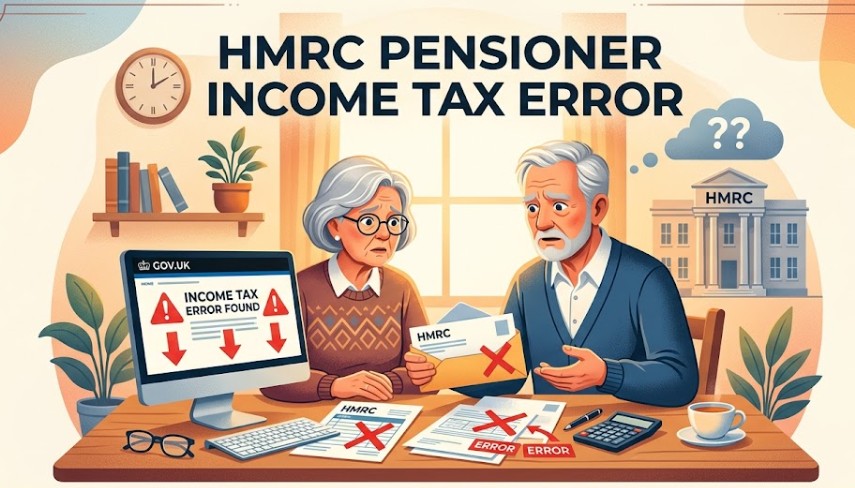
An HMRC pensioner income tax error often results from outdated PAYE data or misaligned tax codes when managing multiple income streams like state and private pensions.
Identifying these discrepancies early allows pensioners to request formal reviews, reclaim overpaid tax through P800 calculations, and ensure future tax deductions accurately reflect their current annual income thresholds.
What is the HMRC Pensioner Income Tax Error?
An HMRC pensioner income tax error is an automated system miscalculation that occurs when the Pay As You Earn (PAYE) infrastructure assigns an incorrect tax code to a retiree’s income streams.
This typically happens because the system fails to reconcile multiple concurrent pensions or miscalculates the tax-free personal allowance across separate private and state pension providers.
Unlike standard employment where you usually have one main salary, retirement often involves multiple income streams.
If HMRC’s internal records do not match the actual income received, or if your personal allowance is split inefficiently across multiple providers, the system may trigger an automatic but incorrect tax deduction.
Understanding how your codes are structured via HMRC Pensioner Tax Codes is essential to catching these issues before they impact your monthly net income. When an error occurs, the taxpayer is often left with an unexpected bill or an overpayment.
Why Does the HMRC Pensioner Income Tax Error Pop Up?
The HMRC pensioner income tax error pops up primarily because the PAYE framework operates on estimated income projections rather than real-time data.
When a retiree draws from multiple sources, uses modern drawdown options, or starts receiving a taxable State Pension alongside private pots, HMRC’s system frequently lags in aligning code data, triggering emergency tax defaults.
The core challenge for pensioners is the reliance on the PAYE system, which operates on projections. The error typically flags up due to specific triggers:
- Multiple Income Streams: Receiving income from several sources simultaneously, such as a state pension and one or more private pension pots. This causes HMRC to incorrectly estimate the total taxable amount for the tax year.
- The State Pension Dynamic: The State Pension is taxable but does not have tax deducted at source. Instead, HMRC attempts to collect this tax by reducing the tax-free allowance on your private pensions or part-time earnings. If their calculations are delayed, your tax codes will be misaligned.
- Emergency Tax on Drawdowns: When you take a new lump sum or start a new pension drawdown, providers are legally required to apply an emergency tax code (like 1257L M1 or 0T) on a non-cumulative basis until HMRC sends an updated code.

How to Identify an HMRC Pensioner Income Tax Error?
You can identify an HMRC pensioner income tax error by logging into your official online Personal Tax Account (PTA) and cross-checking your P60 end-of-year certificates, P2 Coding Notices, or P800 tax calculations against your actual bank deposits.
Any variance between the gross income received and the deductions shown indicates an active coding discrepancy.
To determine if an error has occurred, pensioners should monitor their tax notices and compare them against their actual income statements. Use this visual guide to understand key indicators:
Red Flag Tax Codes to Watch For
- BR (Basic Rate): Automatically taxes 20% of all income from this stream. Correct for a secondary pension, but an error if applied to your primary income source.
- 0T: Gives you zero Personal Allowance. This often means HMRC has no data on your total income or thinks you have exceeded the standard tax brackets.
- K Codes (e.g., K450): This indicates your untaxed income (like the State Pension) is higher than your Personal Allowance, meaning tax is being added rather than deducted. Ensure the state pension figure they are using matches what you actually receive.
How to Fix the HMRC Pensioner Income Tax Error?
To fix an HMRC pensioner income tax error, gather your annual P60 and pension drawdown statements, access your live records inside the online Personal Tax Account, and input your correct estimated income values.
If digital systems reject the update, submit a manual tax review request using the secure internal messaging service.
If you spot an error, you can resolve it systematically using official digital or telephone channels. Follow this precise sequence to rectify your records:
- Gather Documentation: Collect all P60S, P45S, and pension provider statements for the relevant tax year.
- Access Digital Records: Log in to your HMRC Personal Tax Account to view your current tax code and income breakdown.
- Compare Totals: Cross-reference the income figures shown in the HMRC portal with the actual amounts you received.
- Identify the Mismatch: Pinpoint whether the error stems from a missing income source or an incorrectly applied personal allowance.
- Use the Online Update Tool: Use the official online service to update your estimated income for the current year.
- Submit a Query: If the online data cannot be corrected, send a formal request for a tax review through the HMRC secure messaging service.
- Monitor the Outcome: According to formal HMRC processing timelines, you should allow 30–90 days for the tax authority to review your data and issue a P800 refund cheque.
Does HMRC Automatically Refund Overpaid Tax?
Not always, and rarely in real-time. HMRC runs an automated reconciliation process at the end of every tax year, typically between June and October.
If official calculations show you paid too much tax, the revenue authority will automatically issue a P800 tax calculation letter.
They will then either send a cheque or allow you to claim the refund online directly into your bank account.
However, manual intervention becomes necessary if the system is operating on flawed data. If your pension providers submitted incorrect estimates, HMRC’s automated system will not recognise the discrepancy as an error and will fail to trigger an automatic refund.
How do I check if I get my refund?
You can check the active status of your pension tax refund by opening the official HMRC app or logging into your Personal Tax Account online.
If a refund is approved and available for retrieval, a green Claim button will display prominently under your live Pay As You Earn (PAYE) tax summary profile.
What to Do If I Didn’t Get the Refund?
If you did not receive an expected tax refund after the October reconciliation close, log into your Personal Tax Account to see if the year is marked as ‘Under Review’.
If the system has stalled, you must file a formal query online or submit historical statutory refund claims using Form P50Z or Form P53.
- Check the Online Status: Log in to your Personal Tax Account and check your Tax Summary for the previous years. It will explicitly state if a year is Calculated or Under Review.
- Submit a Formal Query: If the portal shows you overpaid but offers no option to claim, use the secure messaging service within your account to request a formal manual tax review.
- Claim Back Historical Tax: Under official UK statutory limits, taxpayers can legally claim back overpaid tax for up to four years from the end of the relevant tax year. This process can be initiated by submitting a Form P50Z or Form P53 directly to the government.
Steps to Prevent the HMRC Pensioner Income Tax Error
You can prevent an HMRC pensioner income tax error by proactively updating your Personal Tax Account within 30 days of any lifestyle change, submitting a completed Starter Checklist form to new pension providers, and evaluating small pension pot consolidations to minimise overlapping PAYE data points.
You can reduce the likelihood of future tax code disruptions by adhering to a simple prevention routine:
- Notify HMRC of Changes Early: If you plan to stop a drawdown, open a new pension pot, or if your state pension amount changes significantly, update your Personal Tax Account immediately rather than waiting for your providers to report it.
- Submit a Starter Checklist: When accessing a new private pension for the first time, ensure your provider receives a completed Starter Checklist form so they don’t default to an aggressive emergency tax code.
- Consolidate Carefully: If you have numerous small pot pensions, consider whether consolidating them into a single modern plan makes tracking your single tax code simpler. Structuring your withdrawals strategically is a core part of learning how to avoid paying tax on your pension entirely within legal allowances.
When to Seek Professional Tax Advice?
While many errors can be resolved through the Personal Tax Account, some situations require expert guidance to navigate complexity.
- Complex Income Streams: If you have income from overseas, rental property, and multiple private pensions simultaneously.
- Significant Overpayments: Cases involving thousands of pounds may benefit from a professional audit to ensure all relevant tax exemptions are claimed.
- Persistent Errors: If you have corrected your details online but HMRC continues to issue incorrect tax codes for subsequent years.
Summary and Next Steps
Correcting an HMRC pensioner income tax error begins with proactive monitoring of your tax code via the government’s online portal.
By comparing your actual annual income against the figures used for your PAYE code, you can identify discrepancies early. If an overpayment is found, utilise the official digital channels to request a review.
Keep all financial records for at least four years to facilitate any necessary corrections, and ensure your personal details are always current within your Personal Tax Account.
FAQ about HMRC pensioner income tax error
Do pensioners need to pay income tax?
Yes, pensioners must pay income tax on their total annual income, including the state pension and private pensions, if it exceeds the standard Personal Allowance of £12,570 for the 2026/27 tax year.
What is the HMRC tax warning?
This refers to alerts regarding potential tax underpayments or notifications that your tax code has changed, which may impact your monthly net income and require immediate verification.
Is a K code always a mistake?
No, a K code indicates that you have untaxed income exceeding your Personal Allowance, or benefits from a previous job. It is not an error but a requirement to recover unpaid tax.
Can I claim back tax from previous years?
Yes, you can typically claim back overpaid tax for up to four years from the end of the relevant tax year by completing the appropriate forms or using the online service.
What should I do if I disagree with an HMRC calculation?
You should submit a formal appeal or request a mandatory reconsideration, providing clear evidence such as bank statements or official pension certificates to support your claim.