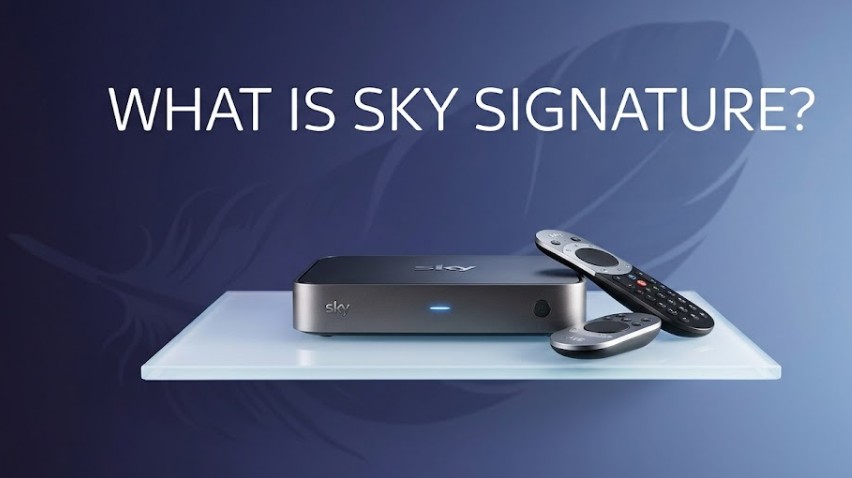
Sky Signature is the legacy base television package for the Sky Q satellite ecosystem, providing a core set of entertainment channels, box sets, and the ability to record live television via the Sky Q box.
It remains a primary choice for households preferring traditional satellite-delivered broadcasts over newer, internet-based streaming services.
What is Sky Signature?
Sky Signature is the foundational base television package for the Sky Q satellite ecosystem. It serves as the primary tier for customers who prefer traditional satellite-delivered television, offering a blend of entertainment, documentaries, lifestyle channels, and on-demand box sets.
As a legacy product, it is designed for use with the Sky Q set-top box, which distinguishes it from Sky’s newer internet-based services.
By utilizing satellite technology, Sky Signature allows users to record live television directly onto the box’s local hard drive, providing a viewing experience that is independent of home broadband stability.

What does Sky Signature include?
The Sky Signature package includes over 300 live channels (including Sky Atlantic and Sky Max), the Sky Box Sets library, Sky Go app access, and hardware integration for pausing, rewinding, and locally recording live broadcasts.
The Sky Signature package is structured to provide a comprehensive entertainment baseline for households. While specific channel lineups can evolve based on carriage agreements, the core inclusions are:
- Extensive Channel Selection: Access to over 300 live channels, including popular entertainment networks like Sky Atlantic, Sky Max, Sky Comedy, Sky Witness, and various documentary and lifestyle channels.
- Sky Box Sets: A vast library of on-demand series and box sets, allowing users to binge-watch entire seasons at their own pace.
- Recording Capabilities: Integration with the Sky Q box, enabling users to pause, rewind, and record live TV onto the internal storage.
- Sky Go: Access to the Sky Go app, which allows subscribers to stream content on mobile devices, tablets, and laptops.
- Flexibility: It serves as the hub to which users can add premium packs, such as Sky Sports, Sky Cinema, Sky Kids, or Ultra HD/Multiscreen options, depending on their personal preferences.
Note: Sky Signature does not include premium subscriptions like Sky Sports or Sky Cinema by default; these remain optional add-ons. Netflix is also not included in the base Signature package, though it is frequently available as an add-on or as part of a bundled Ultimate TV upgrade.
Can you customise Sky Signature?
Yes, you can customise Sky Signature by adding optional premium packs such as Sky Sports, Sky Cinema, Sky Kids, Ultra HD quality toggles, or Multiscreen room extensions directly onto your base Sky Q monthly statement.
The base tier of Sky Signature is purposely designed as a flexible foundations package. Because it serves as a core administrative hub on your bill, you have the ability to stack distinct channel expansions depending on your family’s viewing needs.
The primary options available for customizing your plan include:
- Premium Sports & Film: Individual monthly add-ons for Sky Sports Complete or Sky Cinema (which includes Paramount+ at no extra charge).
- Visual Performance Boosters: By default, Sky Signature streams on-demand and box sets in standard definition (SD). You must explicitly pay for the HD pack or the Ultra HD & Dolby Atmos bundle to unlock higher resolutions.
- Ultimate TV Add-On: This customisation allows you to bind a Netflix subscription directly into your central Sky profile, clearing up independent streaming app statements.

How do you decide if Sky Signature is the best?
To decide if Sky Signature is the best package for you, calculate whether your household values local physical hardware recording reliability and a fixed satellite dish connection over cheaper, internet-dependent streaming boxes.
Deciding whether to stick with or choose Sky Signature ultimately comes down to an evaluation of your home infrastructure and viewing habits.
It remains the superior option if you experience unstable or slow home broadband, as your primary live television feed runs independently via a physical dish aimed at the Astra 28.2°E satellite group.
Furthermore, you should opt for Signature if you like archiving television. Modern streaming equivalents do not let you keep a physical file saved indefinitely; they rely on cloud hosting links that can expire if broadcast licensing rights change.
If you like knowing your recordings are safely stored on a 1TB to 2TB hard drive under your television, Sky Signature on Sky Q is your best match.
How Much is Sky Signature?
The standard out-of-contract price for Sky Signature is £42.50 per month, though existing loyalty customers can often negotiate promotional renewal rates between £24.00 and £31.00 per month.
Determining the exact cost of Sky Signature can be complex, as pricing is heavily influenced by your existing tenure, active promotional discounts, and specific contract status.
As a legacy product, it is no longer the standard entry-level offer for new sign-ups, meaning your price is often tied to loyalty-based renewals rather than a fixed market rate.
When analyzing your monthly bill, it is essential to consider that the final cost is built from the following components:
- Base Subscription: The core cost of the Sky Signature channel pack (standard rate of £42.50).
- Hardware Fees: Any remaining rental fees associated with the Sky Q box or multiroom kit.
- Add-on Services: Monthly fees for optional extras like Ultra HD, Multiscreen, or premium channel packs like Sky Sports.
- Inflationary Adjustments: Standard annual price increases applied to the UK telecommunications sector, which typically add between £1 and £3 to the package base.
What is Sky Signature Channel List?
The Sky Signature channel list provides a curated blend of entertainment, documentary, lifestyle, and music channels that extend well beyond the standard Freeview experience.
While exact channel lineups shift periodically due to carriage agreements, the package is structured to provide a comprehensive baseline for diverse viewing needs.
- Entertainment: Key channels providing drama, comedy, and general lifestyle content (e.g., Sky Atlantic, Sky Max, Sky Witness, Sky Comedy, FOX, Comedy Central).
- Documentaries: Specialized factual channels covering history, nature, and technology (e.g., Sky Documentaries, National Geographic, Discovery Channel, History).
- Box Sets: Access to an extensive library of on-demand series directly accessible through the Sky Q home screen menu.
- Lifestyle & Music: Dedicated channels for home, travel, and current music trends (e.g., Sky Nature, TLC, Food Network, MTV).
Does Sky Signature include Sky Sports?
No, it does not. Sky Sports remains a premium add-on service that requires a separate monthly subscription fee on top of the base Sky Signature package.

Sky Signature vs. New Packages
Sky has shifted its primary marketing toward Essential and Ultimate TV tiers, which are designed for the Sky Stream and Sky Glass platforms.
Unlike Sky Signature, which relies on a satellite dish and physical hardware for local recording, these newer packages are entirely internet-dependent.
- Delivery Method: Sky Signature uses a satellite dish; the newer Essential/Ultimate packages use broadband.
- Storage: Sky Signature stores content on a physical hard drive; newer packages use Playlist features, which rely on cloud streaming.
- Positioning: Sky Signature is increasingly viewed as a legacy product for users who value the reliability of satellite broadcast and local recording. The new packages are targeted at customers who prefer a seamless, app-based streaming experience without the need for a dish or extensive hardware.
For households looking to eliminate satellite infrastructure while maximizing their upfront value, checking out current hardware-bundled promotions is highly recommended.
For instance, opting for a bundle where the Sky Glass 4K UHD TV includes a Sky Ultimate TV subscription can significantly lower your out-of-pocket tech costs by combining a premium television purchase with your monthly live entertainment feed.
Comparison of Sky TV Package Structures
The following table outlines the functional differences between the legacy Sky Q system and the newer streaming alternatives available in 2026.
| Feature | Sky Signature (Sky Q) | Sky Essential (Stream) | Sky Ultimate (Stream) |
| Delivery Method | Satellite Dish | Broadband Internet | Broadband Internet |
| Recording Method | Local Hard Drive (1TB/2TB) | Cloud Playlist | Cloud Playlist |
| Primary Hardware | Sky Q Box | Sky Stream Puck | Sky Glass / Puck |
| Base Price (Out-of-Contract) | £42.50 / month | £21.00 / month | £30.00 / month |
| Flexibility Style | High (Physical Storage) | Medium (App-based) | Medium (App-based) |
| Core Included Apps | Freeview, Discovery+ | Netflix (with Ads), Discovery+ | Netflix, Disney+, HBO Max, Hayu, Discovery+ |
| Channel Focus | Full Sky Entertainment Tier | Sky Atlantic + ~90 Free-to-Air Channels | Full ~130 Premium Channels + Bundled Streaming |
Understanding Your Subscription
If you are an existing customer, your Sky Signature package remains a fully supported and reliable service. If you are considering your options, evaluate whether you prefer the local recording reliability of Sky Q (Signature) or the modern, dish-free convenience of Sky Stream.
To manage your current subscription, you can review your bill for redundant add-ons, verify your contract end date, and contact the Sky retention team to discuss current offers tailored to your tenure.
Navigating Sky Signature for Existing Customers
If you find yourself asking, What is Sky Signature on my bill? you are not alone; many long-term subscribers are currently evaluating whether to retain their satellite service or transition to modern streaming.
Ultimately, the decision to stay or switch hinges on whether you prioritise the reliability of local, hard-drive recording or the convenience of a broadband-only setup.
Steps to Manage Your Current Sky Signature Subscription
- Review your current bill to identify if you are paying for services you no longer utilize, such as legacy HD packs.
- Compare your current usage of local recording features against the convenience of streaming apps.
- Contact the Sky customer retention team to discuss the latest offers for existing customers.
- Evaluate whether you need a switch to the newer Stream pucks if your household has moved to high-speed fibre broadband.
- Assess the long-term cost of maintaining a satellite dish versus moving to an internet-only contract.
- Verify your contract end date to avoid early termination charges before making any changes.
Final Summary and Next Steps
Understanding Sky Signature is vital for maintaining cost control on your monthly television bills. If you enjoy the reliability of the Sky Q box and local recording, staying with this legacy package is a perfectly viable choice for 2026.
Conversely, if you rely on high-speed internet and prefer streaming apps over satellite channels, researching the migration to Sky Stream is recommended.
To proceed, review your current contract status and prioritize your needs between physical recording capability and internet-based convenience.
FAQ about what is Sky Signature?
Does Netflix come free with Sky Signature?
No, Netflix is not automatically included as a free component of the base Sky Signature package. It is usually bundled as an add-on or requires an upgrade to a higher-tier Ultimate TV package.
Can I pause and rewind with Sky Signature?
Yes, because Sky Signature operates via the Sky Q box, you maintain full control over live television, including the ability to pause, rewind, and record programming directly to the device’s internal hard drive.
Is it cheaper to get Netflix through Sky?
Often, yes. Bundling Netflix through Sky’s integrated platform is frequently more cost-effective than paying for a standalone Netflix subscription separately, particularly when promotions are applied to the combined service billing.
How many channels are in Sky Signature?
The package typically provides access to over 100 channels that are not available on Freeview, alongside the standard terrestrial channels, though the exact count fluctuates based on current content partnerships.
Can I get rid of my Sky Signature?
Yes, you can cancel or downgrade your package by contacting Sky. However, ensure you understand the implications for your remaining contract period and any potential loss of current hardware functionality.
What is the difference between Sky Entertainment and Sky Signature?
Sky Signature is the evolved successor to the former Sky Entertainment branding. They are effectively the same product, but Signature is the specific name used to categorize the base level for the Sky Q system.
Do I have to pay for Netflix if I have Sky?
If you have a package that does not bundle Netflix, you do not have to pay for it through Sky. You can continue to pay for Netflix separately or choose not to subscribe to the streaming service at all.
Is Sky Signature being discontinued?
Sky is not forcing a discontinuation, but it is transitioning its marketing focus toward Stream and Glass. Existing Sky Q customers can continue to use and subscribe to Signature indefinitely for the foreseeable future.